Features · Gift reservations
Nobody buys the same gift twice.
Friends reserve straight from your link. You don't see what has been taken, so the surprise survives.
- Free
- No account for friends
- Works with any store

What a friend sees
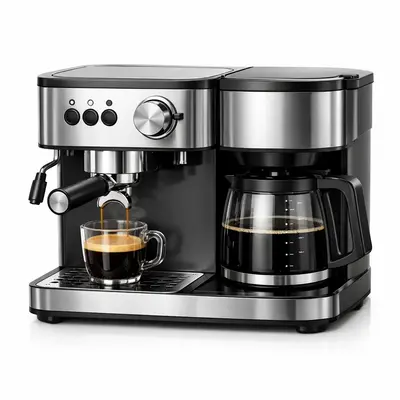
Coffee machine
Reserved by you
28 999 Ft
What you see
Coffee machine
example-store.com
28 999 Ft
The promise
Your list looks the same with zero reservations or fourteen.
- You decide when to look
- Friends need no account
- One gift, one reservation
How it works
Three steps, no duplicates
Share the list
One link, anywhere you already talk to people.
A friend reserves
The wish is marked taken for everyone else who opens the list.
You find out when you unwrap it
Or earlier, if you choose to look. You can hide reservations again anytime.
Common questions
About reservations
Still unsure? Write to us
- Can I see what has been reserved?
- Not by default. To see them, select “**** reserved” at the top of your list, then choose Show what's reserved. You'll see which wishes are taken. Names show only for reservations made while the list was set to Only signed-in people. While this is on, the list says so to you and to everyone who opens it.
- Do my friends need an account?
- No. Anyone with the link can reserve a gift, unless you ask friends to sign in. If a friend is signed in, the reservation is saved to their account, and anything they reserved in the same browser before signing in carries over.
- Can two people reserve the same gift?
- No. Once one person has reserved it, it shows as taken for everyone else.
- Can someone cancel a reservation?
- Yes. The person who reserved a gift can cancel it at any time, making it available for others again.
- Does reserving mean buying through Wishpicks?
- No. A reservation only marks the gift as taken on your wishlist. Your friend buys it from any store they like.



Make the list your friends will reserve from.
Lists, sharing and reservations are free.


