We rebuilt Wishpicks from scratch. Here’s what changed
Anton Sushchevskyi
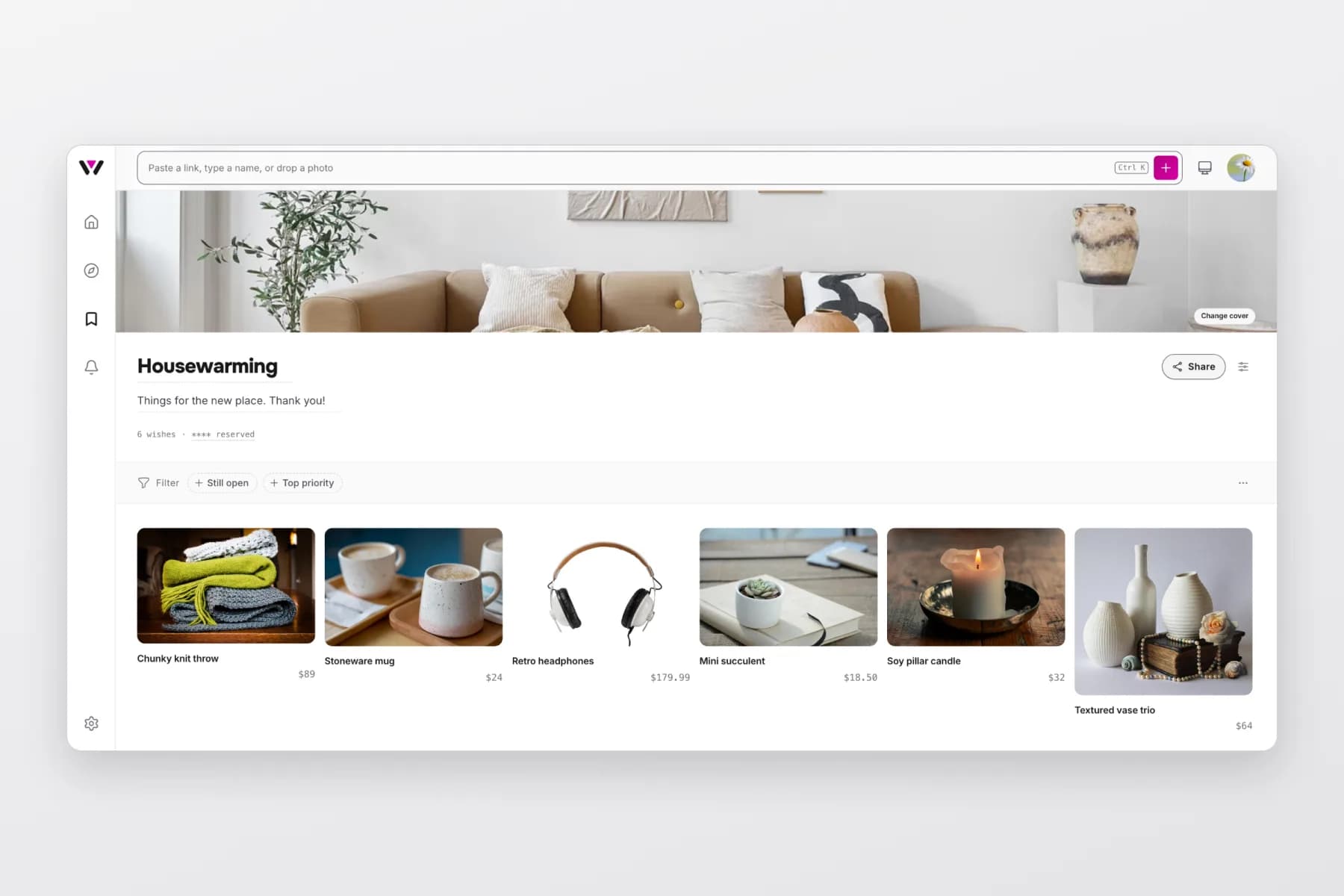
A note from Anton, founder of Wishpicks. Not a usual blog post: this one is about the app you use, what we changed in it, and why.
Here's a number I didn't enjoy counting. In the old Wishpicks, saving one thing you liked took five taps from the home screen, and on some pages the button you needed wasn't there at all. Nobody complained loudly. People just added less than they meant to.
So over the past few months we took Wishpicks apart and put it back together. Not a new coat of paint on the old rooms. Every page is new, from signing in to sharing a list.
Why rebuild it instead of fixing it?
Because the problems weren't on any single page. Wishpicks grew one feature at a time, and each new feature found a corner to live in. Price tracking had its own place, reservations had another, settings were spread across three screens. Each piece made sense on its own. Together they made you hunt.
Fixing that page by page would have taken longer than starting over, and we'd still have ended up with a house built from extensions. So we drew the whole thing again, with one rule: the thing you came to do should be the first thing you see.
Where did everything go?
Into one place. Home, Explore, Wishes and Updates now sit in a bar at the bottom of your phone. On a computer they live in a slim rail on the left, with Settings at the bottom of it.
Updates is the one place to check what changed. Someone invites you to their list, something you watch drops in price: it lands there, with the things waiting on you at the top, instead of being scattered across emails.
How do I add something now?
From anywhere. On a computer there's a bar at the top of every page that says "Paste a link, type a name, or drop a photo", and it means all three. On your phone it's the pink plus in the corner.
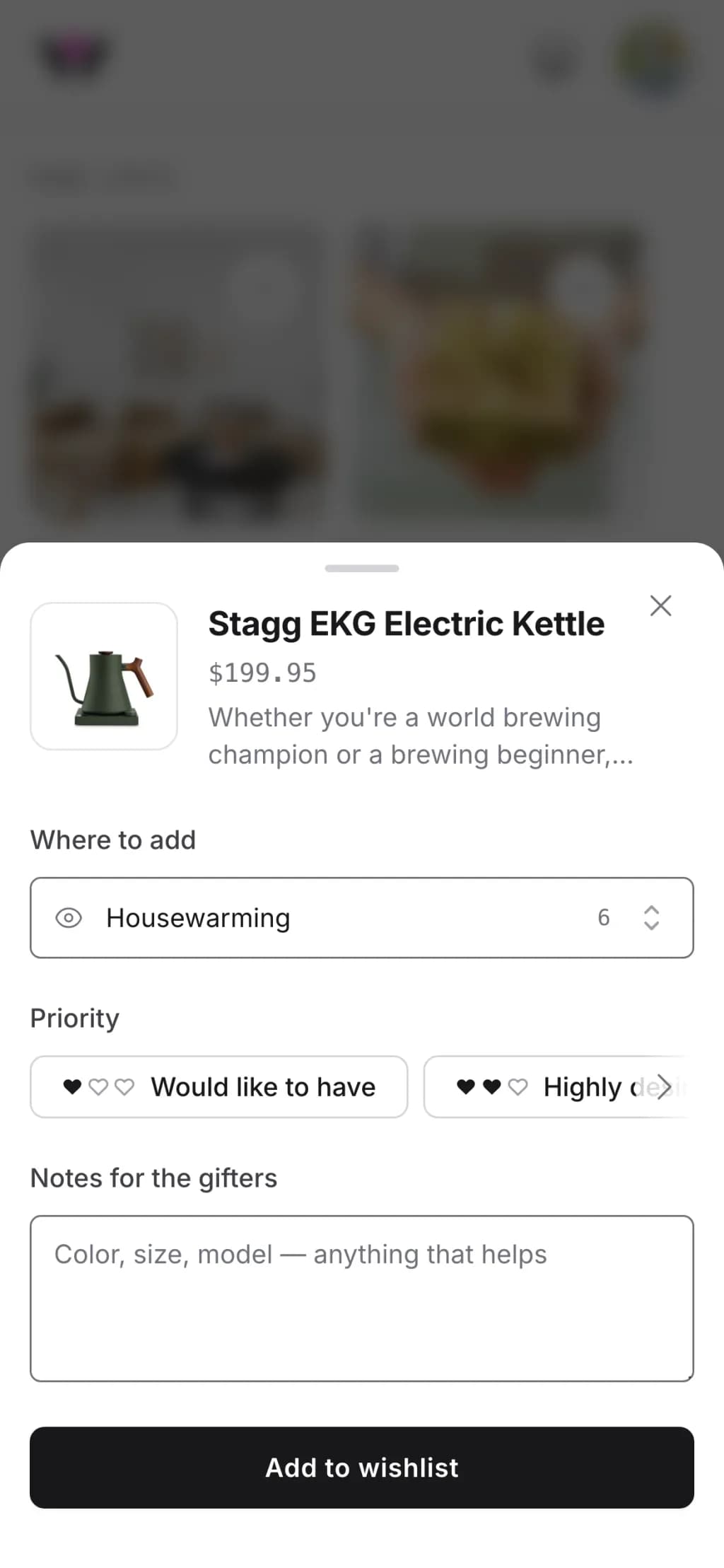
Paste a link and we fill in the name, photo and price. Paste several links at once and we handle them together. Type just a name when you don't have a link yet ("the green Le Creuset my sister has"), because a wish doesn't need to be a product page to be a wish.
Then you pick where it goes. Your wishlists and your collections are in the same list, and if the right one doesn't exist yet, you can start it right there without leaving what you were doing. That last part sounds small. It was the most common reason people gave up halfway.
What's a collection, and how is it different from a wishlist?
A wishlist is what you want. It can have a date, and the people you share it with can quietly reserve something from it without you seeing who took what.
A collection is things you'd point someone to: the kitchen tools you actually use, gift ideas for your dad, everything for a first camping trip. No reservations, no date. It's closer to a shelf you curate than a list you hope someone reads. Until now collections felt like a separate app. Now they look and work like wishlists, and they sit side by side on your profile.
Can my lists look like mine?
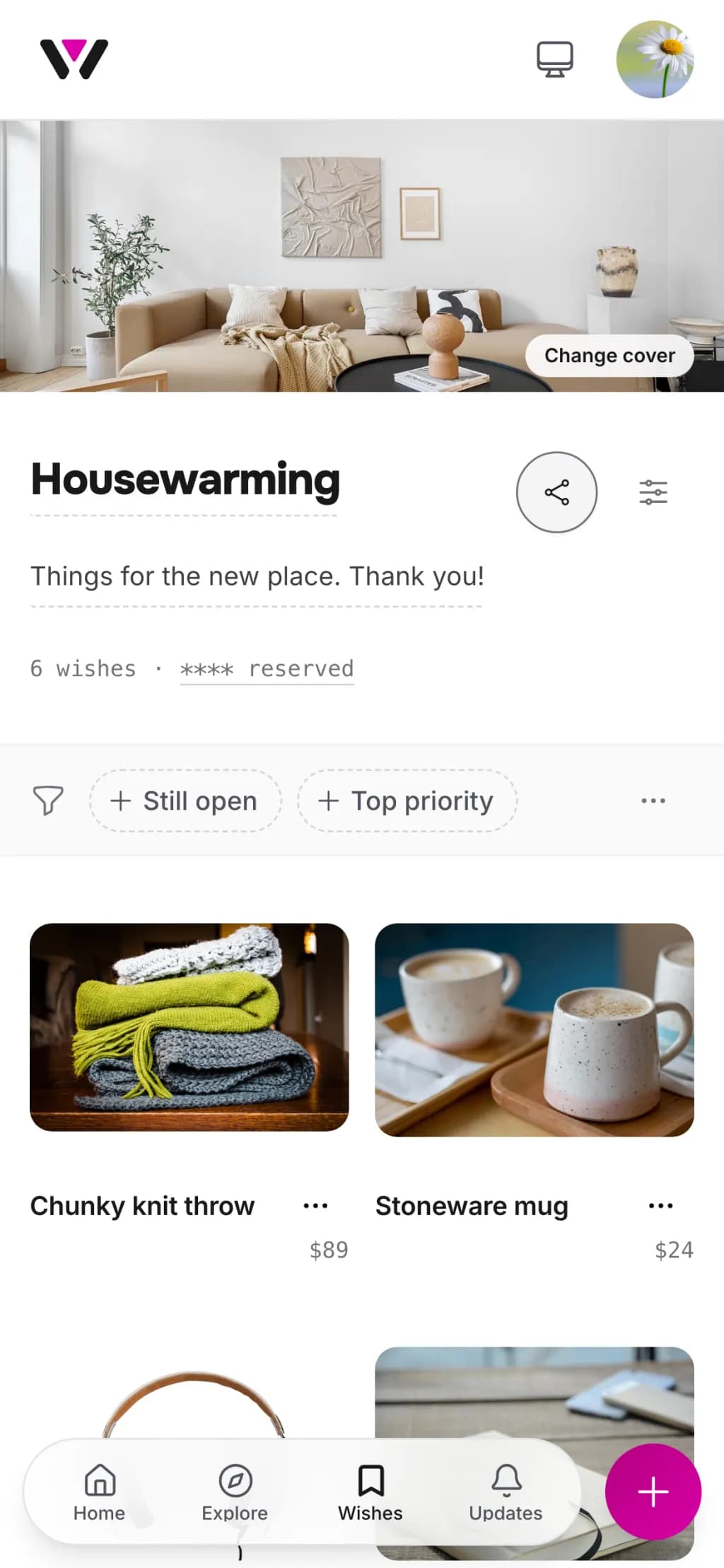
Yes, and I think this is the part people will notice first. Any wishlist or collection can have a cover: your own photo, or one from a free photo library we built in.
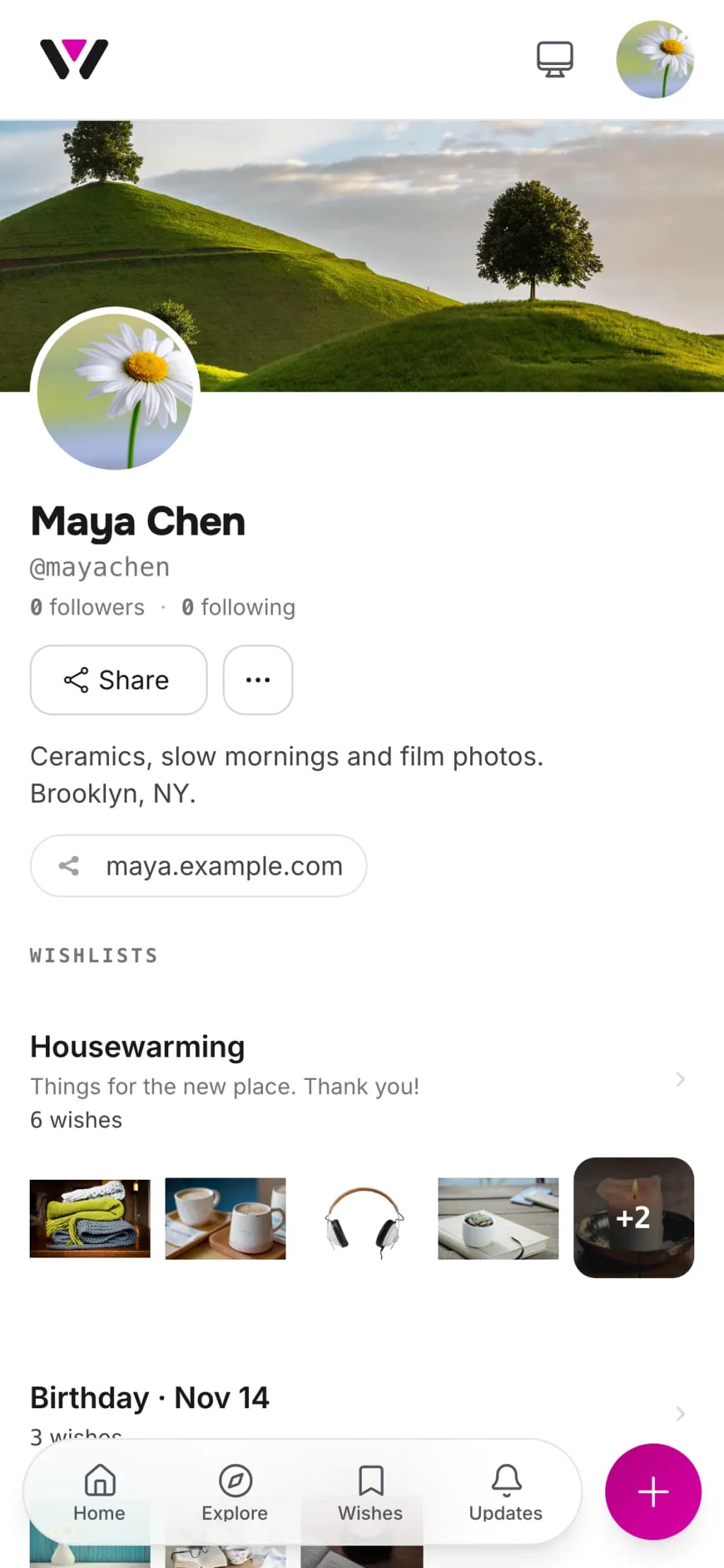
Your profile got the same treatment. A cover, a line about you, your links, and the lists you choose to make public. When you send someone your profile instead of one list, it now looks like a person put it together, not a database.
No account needed. Add the first thing you actually want.
Start a wishlistDid I lose anything?
No. Every list, wish, reservation and share link is where you left it. Links you sent to family last year still open the same list. Price tracking still tells you when something gets cheaper. If you've never quite known what a wishlist is for, there's a short version, and it hasn't changed.
What did change: some buttons moved, and a few things that took two screens now take one. If something you relied on feels harder to find, that's a bug on our side, not a new habit you need to learn. Tell us.
What comes next?
This rebuild is the base for what we're making next, and I'd rather show you those things than list them here. I'll write when there's something new to try.
Until then, if something feels off, or you just like it, write to me. I read every message.
Anton